Cosmetic Assessment
Part of AppleCare One. Guides a user through photographing an Apple device, using a second iPhone or iPad, so its condition can be checked during coverage enrollment.
What shipped
AppleCare One lets someone add a device they already own to a coverage plan, provided it is in good condition. Apple's announcement notes that verifying that condition "may be required to undergo a diagnostic check using a customer's iPhone or iPad, or at an Apple Store." This is that check, on iPhone and iPad.
It runs across two devices. The device being added displays a QR code, a second iPhone or iPad scans it to pair, and the camera work happens on that second device. The second device does not have to belong to you, so a friend or family member can hold it.
Before any photo is taken, the flow asks you to prepare the device: take off a damaged screen protector, clean off smudges, remove the case and any stickers. Then it walks you through three captures.
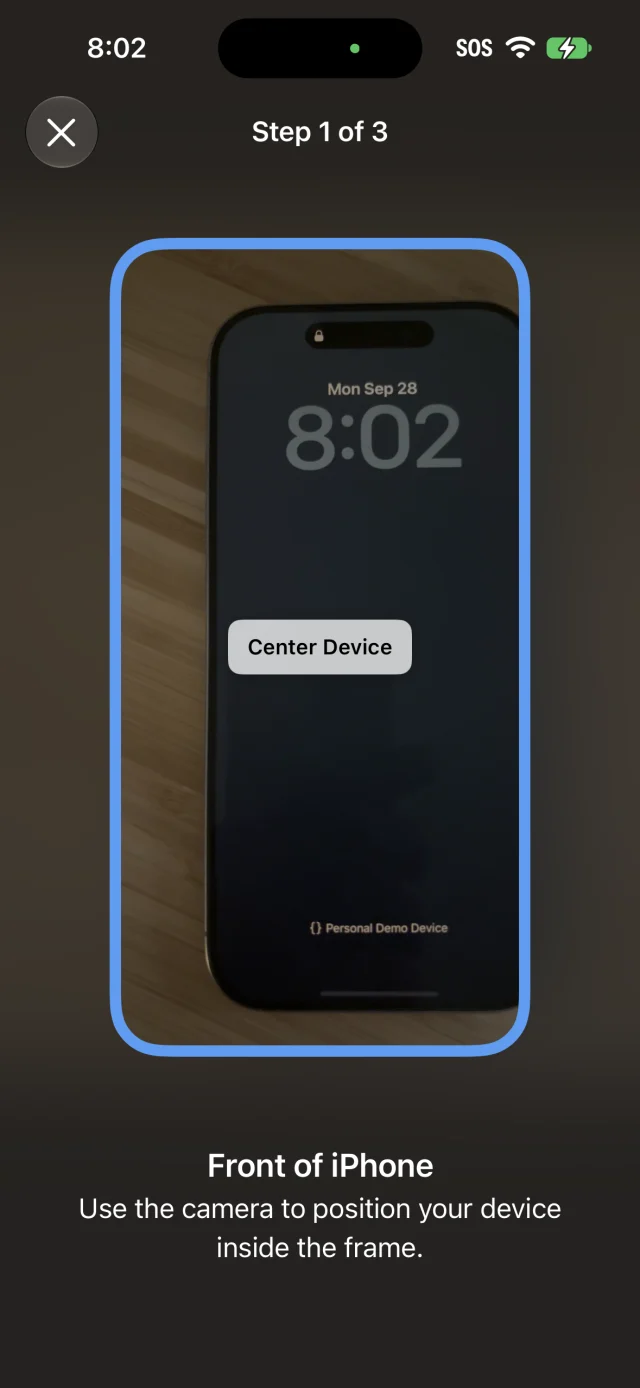
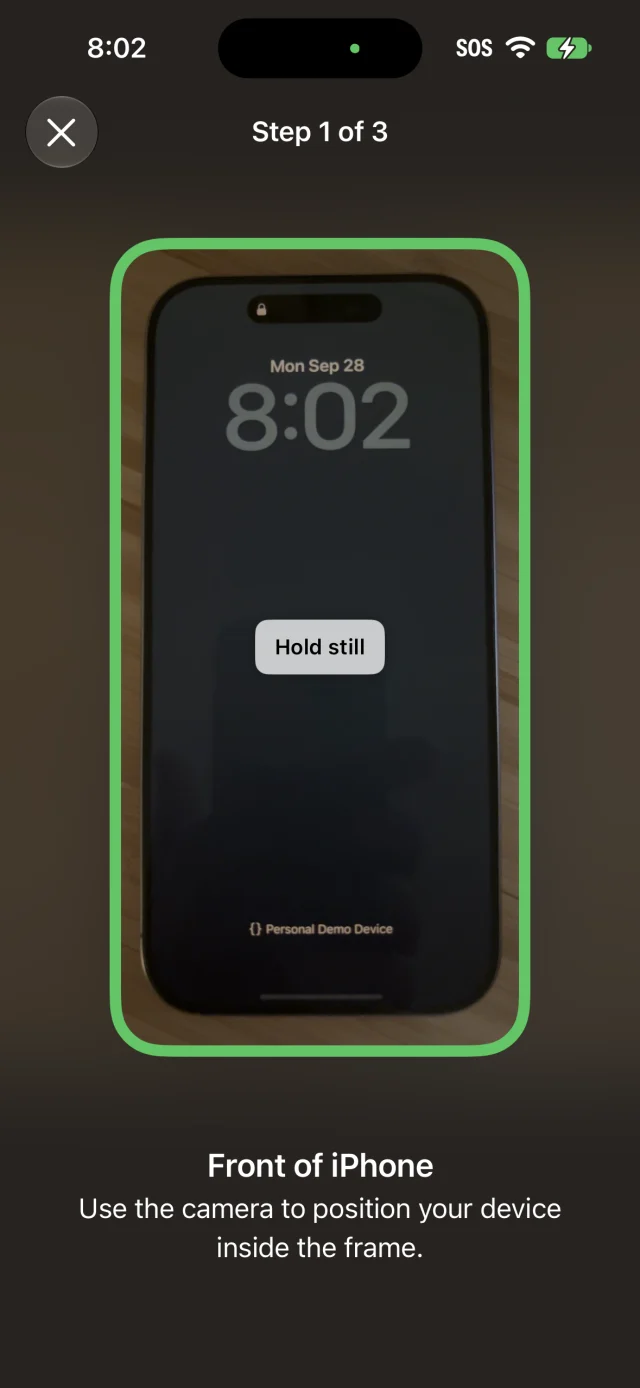
There is no shutter button. An outline tracks the device in the viewfinder and reports what the camera can see: blue once it has found the device, green when everything lines up. At green, the capture is taken on its own. A progress bar runs on the first device while the check completes, and a message confirms when the device has been added.
My role
iOS engineer at Apple, and one of the core engineers and architects behind it, from 2024 through its launch in 2025. It's easier to list what I didn't touch. My work runs through nearly all of it, from the camera experience to the flow that carries you from pairing to the final photo, to how the whole thing fits into iOS and iPadOS.
I keep the implementation off this page. Happy to walk through it in conversation.
Coverage
- Apple introduces AppleCare One · Apple Newsroom, July 2025
- How to add or remove a device from AppleCare One · Apple Support